Article
Redesign Without Losing SEO
Most ranking disasters after a redesign are not bad luck — they are five specific, preventable mistakes. Here is the checklist that prevents them.
The most expensive website redesign is the one that looks beautiful and quietly deletes your Google rankings. It happens constantly: a business launches its new site, enquiries dry up within a month, and nobody connects the two until the quarter is already lost. The traffic did not "dip during the transition" — the redesign broke the signals Google had spent years learning to trust.
Every one of those failures traces back to a handful of preventable mistakes. This is the checklist we run on every rebuild, written so a business manager can hold any agency to it.
Why redesigns tank rankings
Google ranks pages, not websites. Each of your URLs has its own history — links pointing to it, engagement data, an understood topic. A redesign typically changes URLs, deletes or merges pages, rewrites content, and swaps the technology stack, all at once. Do that without a migration plan and Google meets what is effectively a brand-new site wearing your domain name.
The pre-launch checklist
1. Crawl the old site and keep the receipt
Before anything changes, export every URL the old site has, along with which pages actually earn traffic and rankings (Search Console and analytics tell you in an afternoon). This inventory is the contract the new site must honour. You cannot protect pages you never listed.
2. Keep URLs where you can, map them where you can't
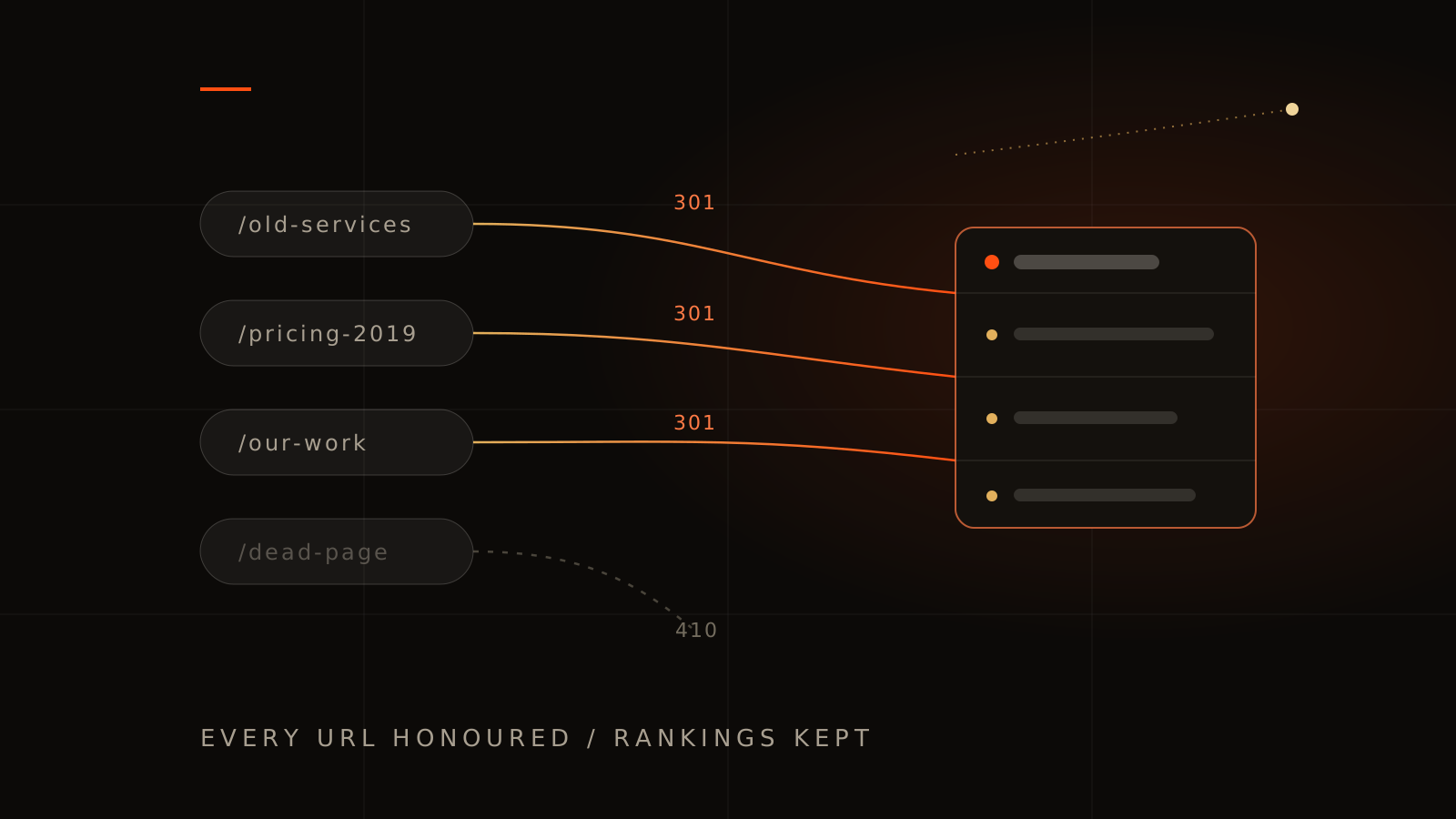
The safest URL is the one that does not change. Where the structure must change, every old URL gets a one-to-one 301 redirect to its closest new equivalent, not a lazy blanket redirect to the homepage, which Google treats as a soft deletion of everything. When we rebuilt our own site we kept every legacy URL live for exactly this reason. The same map applies when an AI storefront moves onto Shopify: inventory the live paths first. Lovable or Bolt to Shopify covers that frontend move.
3. Preserve content parity on your money pages
Designers love cutting copy; Google ranked you for that copy. For the pages that earn your traffic, carry over the substance — the topics, the questions answered, the detail — even as the design around it improves. Rewrite for quality, never for brevity alone.
4. Carry the invisible layer
Title tags, meta descriptions, heading structure, image alt text, and schema markup all transfer or die silently. Structured data deserves special attention: pricing, FAQ, and local-business schema are increasingly how search engines and AI assistants decide who to recommend.
5. Get faster, not just prettier
Page speed is a ranking factor and a conversion factor. A redesign is your one chance to fix the heavy foundations — measure Core Web Vitals on the old site and set the new build a hard target to beat. A beautiful site that loads slower than the one it replaced is a downgrade in Google's eyes.
Launch week: the monitoring that saves quarters
- Day one: submit the new sitemap in Search Console, then spot-check your top 20 old URLs by hand — each should land on the right new page, not a 404 or the homepage.
- Daily for two weeks: watch Search Console's coverage report for a 404 spike, and watch your top keyword positions. Small wobbles are normal; a cliff is a redirect problem you fix today, not next sprint.
- Week four: compare organic traffic page-by-page against the pre-launch inventory. Individual pages that lost badly get investigated individually — usually thinned content or a missed redirect.
A properly migrated site typically wobbles for two to four weeks and then climbs past its old baseline, because you kept the history and improved speed, structure, and engagement. Months of decline is never "Google adjusting" — it is a broken migration, and the faster it is caught the more of it comes back.
What a redesign should add, not just preserve
Defence is half the job. A rebuild done well comes out the other side stronger than the site it replaced: modern schema, faster loads, cleaner structure for long-tail landing pages, and the engagement signals — time on page, interaction, return visits — that interactive design measurably improves. That is the standard our Melbourne website design builds are held to: keep every ranking you have earned, then compound on it.
If you are planning a redesign — or recovering from one that went wrong — a free Discovery Session includes a migration risk review of your current site: what is earning your traffic today and what must be protected on the way through.
Redesign and SEO FAQs
How long does it take for rankings to recover after a redesign?
With a clean migration, expect two to four weeks of fluctuation before stabilising, then improvement if the new site is genuinely better. Losses persisting past six weeks indicate a migration fault worth auditing, not waiting out.
Do 301 redirects pass all ranking value?
Close to all of it, when they point to a genuinely equivalent page. Redirect chains and everything-to-homepage redirects leak value — keep redirects single-hop and one-to-one.
Should we launch the redesign all at once or in stages?
For most business sites, one cut-over with a complete redirect map is cleaner and easier to monitor. Staged launches suit very large sites where per-section risk management matters more than simplicity.
Can we change our domain name during a redesign?
You can, but do not do both casually — a domain change resets more trust than a URL change. If the rebrand demands it, the redirect discipline above becomes non-negotiable and you should budget a longer recovery window.